
Gameoverse Minecraft Server
A "kitchen sink" modded server focused on multiplayer survival. Play however you like: combat, magic, classes, exploration, or just building and decorating. There's no real "end" or set of goals, just a forever world for doing whatever you want, for however long you want.
Getting Started
Install the modpack
Install Prism Launcher and link your Minecraft account in the app. Click Add Instance in the top-left, then the Import tab, and paste in our Modpack link. Prism installs Minecraft and every required mod automatically. When it's done, click Launch.
Connect to the server
- Launch the game and select Multiplayer.
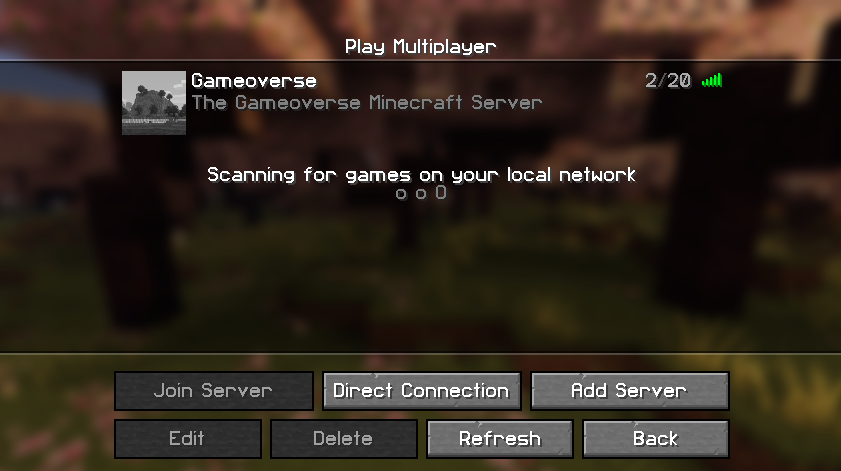
- Click the Gameoverse server (our address is always mc.gameoverse.com).
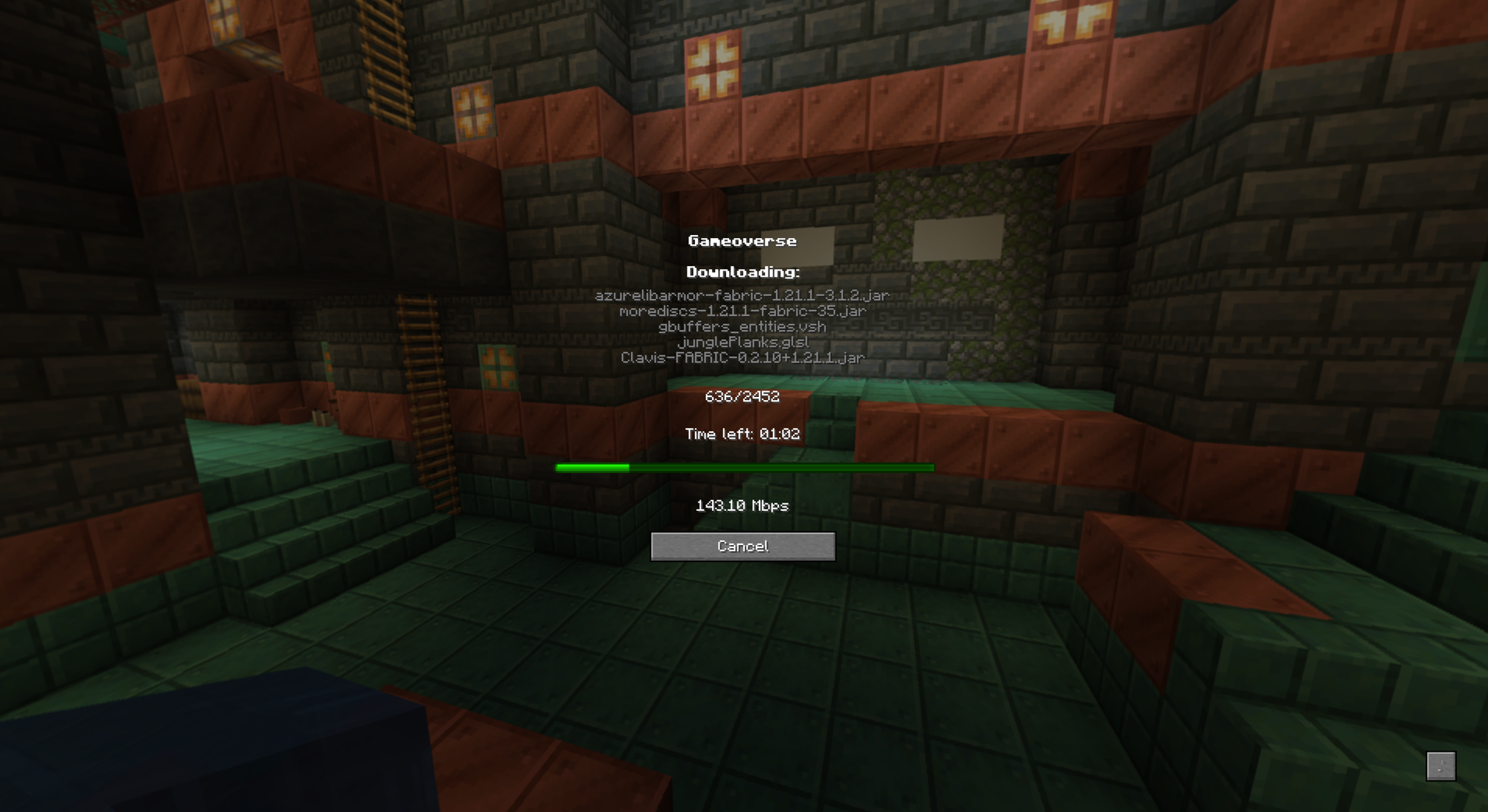
- Click Join Server. First time joining, the modpack will fully update before you connect.
About the "Unverified JAR Files" warning
When you connect for the first time, AutoModpack shows a screen like this, warning that some files don't match a public listing on Modrinth or CurseForge. This is expected:
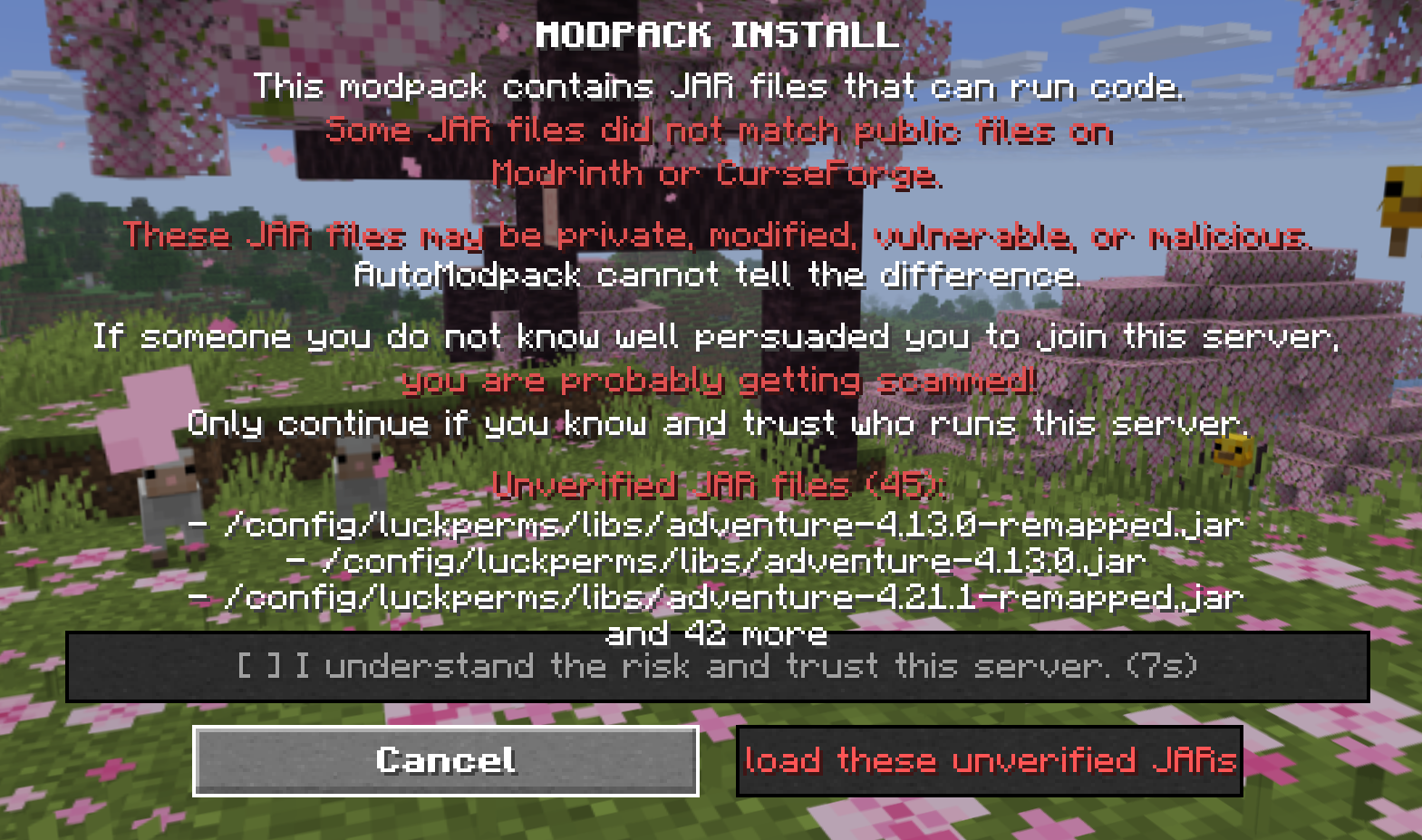
Most of them (~40) are internal libraries bundled inside LuckPerms, our permissions plugin, things like Adventure, ByteBuddy, and Caffeine. These ship packed inside LuckPerms itself, so they were never separately listed on Modrinth or CurseForge to begin with. LuckPerms's own source is fully public: github.com/LuckPerms/LuckPerms.
The rest are mods we've custom-built, forked, or modified ourselves, plus a few third-party files whose exact build isn't listed. Every one we're legally able to publish has its full source public, linked below.
Show every file and where its source lives
Our own mods
| Mod | What we did | Source |
|---|---|---|
| Gameoverse Content Fixes | Gives a source to otherwise-unobtainable items, plus small bug and performance fixes | gameoverse-content-fixes |
| Gameoverse Material Traits | Gives each gear material its own strengths instead of a straight upgrade path | gameoverse-material-traits |
| Gameoverse POI Discovery | Marks landmarks on your atlas as you discover them, plus Rumor hints | gameoverse-poi-discovery |
| Gameoverse Dragon Rockets | Adds the Dragon's Breath Firework used for Elytra flight | gameoverse-dragon-rockets |
| Gameoverse Eat Duration | Bigger meals take longer to eat | gameoverse-eat-duration |
| Gameoverse Locked Chests | Bosses drop keys that open locked loot chests, each player gets their own loot | gameoverse-locked-chests |
| Gameoverse Claims | Structures can't be claimed, underground ones stay open to explorers, Land Deeds add claims | gameoverse-claims |
| Gameoverse Food Effects | Every food gives an effect from its ingredients, longer the more it's cooked | gameoverse-food-effects |
| Gameoverse Sky Sync | The moon phase and daylight length follow the real sky | gameoverse-sky-sync |
| Gameoverse Beacon Tiers | Beacon range grows with the pyramid's material | gameoverse-beacon-tiers |
| Gameoverse Mana | Spells cost mana, with runes as a backup when you run out | gameoverse-mana |
| Gameoverse Controller Plus | Hold, tap and button-combo controller binds, spell slots on the shoulder buttons | gameoverse-controller-plus |
| Gameoverse Attribute Bridge | Merges duplicate combat stats (crit, dodge, healing) from different mods into one | gameoverse-attribute-bridge |
| Gameoverse Plush Rarity | Makes plushies a rare find | gameoverse-plush-rarity |
| Better Combat Armor Fix | Fixes armor clipping the camera | bettercombat-armor-fix |
| Accurate Hitboxes Fallback | Keeps boats, minecarts, item frames and paintings clickable | accurate-hitboxes-fallback |
| Gameoverse Tutorial | Step-by-step hints for new players, from the first log to an iron pickaxe and a proper meal | gameoverse-tutorial |
| Gameoverse Dimension Gear | Gives gear from the dimensions past the End its own power level | gameoverse-dimension-gear |
| Gameoverse Soundtrack | Soybean_56's music as music discs and background music | gameoverse-soundtrack |
Forks and ports of open-source mods
| Mod | What we did | Source |
|---|---|---|
| Apotheosis (Adventure module) | Our Fabric port of the affix, rarity and gem system | apotheosis-fabric |
| Placebo | Fabric port of Apotheosis's shared library | placebo-fabric |
| Apothic Attributes | Our Fabric port of the stat library Apotheosis needs | Apothic-Attributes |
| Pufferfish's Attributes | Built from the author's newer source, which fixes a damage-reflection crash | attributesmod |
| Cluttered | Fork with a crash bug fixed | Cluttered-Fabric-Port |
| Better Recipe Book Extended | Backport with crash, lag and JEI-overlay fixes | Better-Recipe-Book-Extended- |
| Chopt | Fork fixing a compatibility bug with our skills mod | chopt |
| Crackt | Fork fixing the same compatibility bug, for mining | crackt |
| Skill Proficiencies | Fork adding a configurable max level and an XP bugfix | skill-proficiencies |
| MapStitch | Fork fixing a world map crash and letting a filled map start a new Atlas, plus minimap label fixes | mapstitch |
| Interactic Renewed | Fork where right-click pickup respects land claims and never loses part of a stack | Interactic-Renewed |
| Ultimate Horseshoes | Fork adding crafting recipes, enchanting and repairs | Ultimate_Horseshoes |
| Fright's Delight | Our port to this Minecraft version (the newest official build is for an older one) | frights-delight |
| Even Better Moon and Sun | Fork where the moon follows the real calendar | even-better-moon-sun-gameoverse |
| LibJF | The official release plus a pending upstream fix that speeds up game launch | LibJF |
| Anti-Xray | Fork that fixes a server crash when a biome changes | AntiXray |
Mods patched with our own tools (the mod itself is unchanged apart from the fix)
| Mod | What we did | Source |
|---|---|---|
| Spyglass Astronomy | Fixes a crash on resource reload | spyglass-astronomy-crash-fix |
| Scholar | Applies the mod author's own newer JEI compatibility fix | scholar-jei-compat-fix |
| Moonlight | Fixes a shutdown hang and a startup crash | moonlight-shutdown-save-fix |
| Earth & Water | Fixes a random title-screen crash | earth-and-water-splash-fix |
Ports we can't publish (the originals aren't openly licensed), linked to the original mod
| Mod | What we did | Source |
|---|---|---|
| Creeper Overhaul | Our Fabric port | Creeper Overhaul |
| Enderman Overhaul | Our Fabric port | Enderman Overhaul |
| Multiplayer Spawners | Our Fabric port, with spawners that reactivate over time | Multiplayer Spawners |
| Archaion | Our Fabric port | Archaion |
| Serene Seasons | Official source plus a fix the author released for an older version | Serene Seasons |
Third-party files whose exact build isn't listed
| Mod | What we did | Source |
|---|---|---|
| Accurate Hitboxes | The author's own build | Accurate Hitboxes |
| Oracle Index | Engine for the in-game Guide; its Linux-compatible build from the author's GitHub | Oracle-Index |
| Loot Integrations: Dungeons Plus | Loot table add-on | CurseForge |
Ask us on Discord if you'd like to know exactly what changed in any of them.
The full list of every mod on this server, with links, is always available in our MODLIST.md. If that all sounds reasonable and you trust us to run this server, check "I understand the risk and trust this server" and click Download to continue.
Update the modpack
The server updates automatically. Every time you connect, mods sync with the server, so just wait for the update, launch, and you're ready to play.
- Once connected, run /discordverify to link your Discord account and unlock full privileges. Unverified players can't interact with the world. A friend who's already verified can run /vouch (player) to let you skip verification.
- We will never ask for your email or any account information. Anyone who does is a scammer, report them immediately.
Client-side mods are welcome, cheats aren't. Any mod that gives you an unfair advantage over other players will get you banned. Play fair and respect other players.
What's Different
Our server is modded and adds plenty of new features, but most things still play just like normal Minecraft. Everything's been changed in an intuitive way, so new and experienced players shouldn't feel overwhelmed at the start.
Commands
| Command | What it does |
|---|---|
| /discord | Sends you a link to the Discord server. |
| /discordverify | Verify your Discord account, required to interact with anything on the server. |
| /vouch (player) | If you're verified, vouch for a friend so they can skip verification. You're responsible for your invites. |
| /trade | Opens a menu to trade items with another player. |
| /afk (reason) | Toggles AFK mode, with an optional reason. |
| /pvp | Toggles PvP mode. |
| /astro | Shows the current season and moon phase, and when the next meteor shower and eclipses are. |
| /eclipse | Shows just the upcoming eclipses. |
Default Keybinds
Most keys are unbound by default. These are the ones set out of the box, but you can view and change anything under Options » Controls.
| Key | Does what |
|---|---|
| Y | Sets up and opens Voice Chat settings. |
| H | Opens the Gameoverse Guide, an in-game wiki covering everything this server adds. |
| R | Performs a Combat Roll (dodge). Also bound to controller B. |
| Z | Zooms in with a Spyglass in inventory. On a controller, hold D-pad Up. |
| M | Opens the World Map, with a Map Atlas item in inventory. |
| K | Opens the Skill Forest. On a controller, press LB and RB together. |
| ; (semicolon) | Switches your boots' movement bonuses (Surefooted, Unhurried, Steadfast) off and back on. On a controller, hold D-pad Right. |
| J | Toggles armor visibility, showing your skin. |
| ' (apostrophe) | Opens the Claim menu. Only vouched or verified players may claim land. |
| R | Shows recipes for the highlighted inventory item. |
| U | Shows uses for the highlighted inventory item. Outside menus, opens World Tier selection. |
Shader Pack Picks
A few recommended shader packs, roughly sorted from best performance to best visuals. Pick one under Options » Video Settings » Shader Packs, or add your own from Prism Launcher.
FAQ
What am I supposed to do?
Literally whatever you want. This is a "Forever World" with no goals other than what you set for yourself, with plenty of content for explorers and builders alike. Once you spawn in (and you're verified), you get a free house blueprint that instantly builds a starting house wherever you want. Use the Claim menu (apostrophe key) to claim the land you're building on, so mobs and other players can't mess with it unless you allow it.
Why is my health so low?
Everyone starts with 6 hearts, half of vanilla's usual 10. You grow that by finding and eating Heart Crystals, either crafted (8 Diamonds around a Nether Star) or found as a rare drop from almost anything you do: kills, chests, mining, even harvesting a fully grown crop. Each one is worth a permanent heart, with no upper limit.
Dying costs you a heart, down to a floor of 3, but never your items. Death here is never a loot-loss risk, only a health one. The tradeoff: the more hearts you carry, the tougher nearby enemies get and the better your odds at rare loot, so pushing your heart count higher is a real risk-and-reward choice, not just a grind. Staying near the starting 6 keeps the world gentle, if that's more your speed. Enemies also get tougher the farther you travel from spawn and the higher you climb or deeper you dig, so the land around spawn stays the easiest place to be.
Where's the stamina bar, and how does healing work?
There isn't one, and there's no hunger bar either. Eating heals you directly instead of filling a meter: better food heals more and faster, and bigger meals take longer to eat, so keep a light snack handy for mid-fight healing. Every food also gives a short effect from its ingredients (steak gives Strength, fish Dolphin's Grace, mushrooms faster mana), and the more cooking goes into a dish, the longer it lasts and the more effects it carries. Keep three or more food effects going at once and you're Well Fed, which makes healing stronger. Passive natural regeneration is off. Besides food, the only everyday healing is a lit campfire: stand near one for the Cozy effect, which slowly restores health. Beds still let you skip the night like vanilla but don't heal you on their own; sleep with the Cozy effect from a nearby campfire, though, and you wake up at full health.
Why won't my controller work in some menus?
Press Select (or your controller's equivalent) to activate "Mouse Mode" for that menu. Some menus, like lockpicking, only work in Mouse Mode.
Can I play in Japanese, or type in Japanese, Chinese or Korean?
Yes. Pick 日本語 under Options » Language for Japanese menus, guide and tutorial. To type in another language, switch to your system's input method in chat, on signs or in books, like in any other app. It switches off by itself while you play, and starting a message with / switches to English for the command. On Linux the game finds Fcitx or IBus on its own. If it still won't switch on, add the environment variable XMODIFIERS with the value @im=fcitx or @im=ibus under Edit Instance » Settings » Environment variables in Prism Launcher, then restart the game.
Why are some models or textures broken?
The resource packs probably didn't load properly. Go to Options » Resource Packs and hold T to reload the defaults. They'll refresh once you close the menu.
Is it safe to sign in with my Microsoft account?
Yes. Your Microsoft login never touches our server, only Microsoft's own servers ever see it. When you connect, all we get is your Minecraft username, a permanent ID number tied to your account, and your IP address, the same basic info any online multiplayer server gets. We never see your email, password, or any other Microsoft account detail, and we'll never ask for one. Requiring a real Microsoft account is actually there to protect you, it's what stops someone else from joining under your username. See our Privacy Policy for the full details.
Is this server pay-to-win?
No. There's no paid content at all, and there never will be. We accept donations to help with server costs, but donors don't receive any gameplay benefit.
Are there any server events?
Not right now, though more are planned. We're still figuring out the right way to implement them.
Is there a full list of the mods used in the modpack?
Yes. The complete list, with download links, is always in our MODLIST.md.
Can I play this modpack in single-player mode?
Yes, as a sandbox. Once the modpack finishes updating the first time, you can start a single-player world with every mod you see on the server, and it keeps auto-updating whenever you launch. A single-player world isn't Gameoverse itself, though: the server's own rules and progression (the Skill Forest, Heart Crystals, crafting gates, loot and difficulty tuning, and its custom recipes) only exist on the server, so single-player plays differently. You can also host a local game for friends with "Open to LAN" from the pause menu, sharing the link posted in chat as a Multiplayer server address. You're free to add extra mods of your own through Prism Launcher, but mods from the modpack itself can't be disabled or removed.
Can I get a backup of the world?
The entire server is backed up daily, and we'll share world backups with any verified player on request.
Can I get unbanned?
No.
Credits
Gameoverse runs on hundreds of mods by their own authors. Every one of them is in the mod list, and the ones we changed are linked to their original source in the file list above. On top of those, thanks to:
Art and content we use
- dedou3d, MystiCrates & keys animated: the Locked Chest models and keys (licensed for Gameoverse).
- WASD Build Team, the Moar packs: the special weapons and tools found in Locked Chests.
- Quintino Pixels: the Skill Forest icons, from Skill Icons 2.0, Free Pixel Art Skill Icons and Crafting Icons.
- kleiwright, Matcha Flavoured: the Heart Crystal texture, used under CC BY-NC-SA 4.0.
- Clefal, Loot Beams: Refork: the loot beam textures and drop sound (CC0).
- nicochart, Aerial Hell: the first dimension past the End, used under CC BY-NC-SA 4.0. We changed its gear stats to fit our progression, renamed its Obsidian to Nightglass, and link its portals to the End.
- Soybean_56 (YouTube): the Minecraft Infinite soundtrack, our 29 Soybean_56 music discs and the night, Nether, End and Aerial Hell background tracks, released under Creative Commons Attribution (CC BY). We turned the discs to mono so they fade with distance like vanilla discs.
- Merlin1809, Eclipse, and javiergcim, MakeUp: Ultra Fast: the shader packs we ship, with small changes of ours so the moon and stars match the real sky.
Ideas we borrowed
- Minecraft Infinite by Yoniko and team: keys from bosses and Locked Chests, and needing a copper pickaxe before you can mine iron.
- Better Than Adventure and Raspberry Flavoured: gear materials with strengths of their own instead of a straight upgrade path, and needing machinery (pressed Iron Sheets) before you can make iron tools.
- Matcha Flavoured: Heart Crystals, and food effects that come from ingredients and last longer the more a dish is cooked.
- RPGMana by cleannrooster: casting spells with mana instead of runes.
- Weather Watch: seasons that follow the real calendar.
Have Fun!
Just enjoy the game. Join our Discord to stay engaged with the community or report any issues.